AI Flashcard Maker
An AI flashcard maker that works offline
Short answer: Paste or type your notes and Vault AI turns them into a question-and-answer flashcard deck in seconds — completely on your iPhone. It works offline, nothing gets uploaded, and there's no account or subscription.
Making flashcards by hand is the slow part of studying. Copying each term, flipping it into a question, writing the answer — it eats the time you should spend actually reviewing. An AI flashcard maker does that grunt work for you in one step.
Why an offline flashcard maker is better for studying
- Study anywhere. On the bus, in the library basement, on a flight before an exam — no WiFi needed.
- Private. Your class notes, research, or work material never leave your phone.
- Instant. No upload, no waiting on a server, no sign-up wall.
How to make flashcards with Vault AI
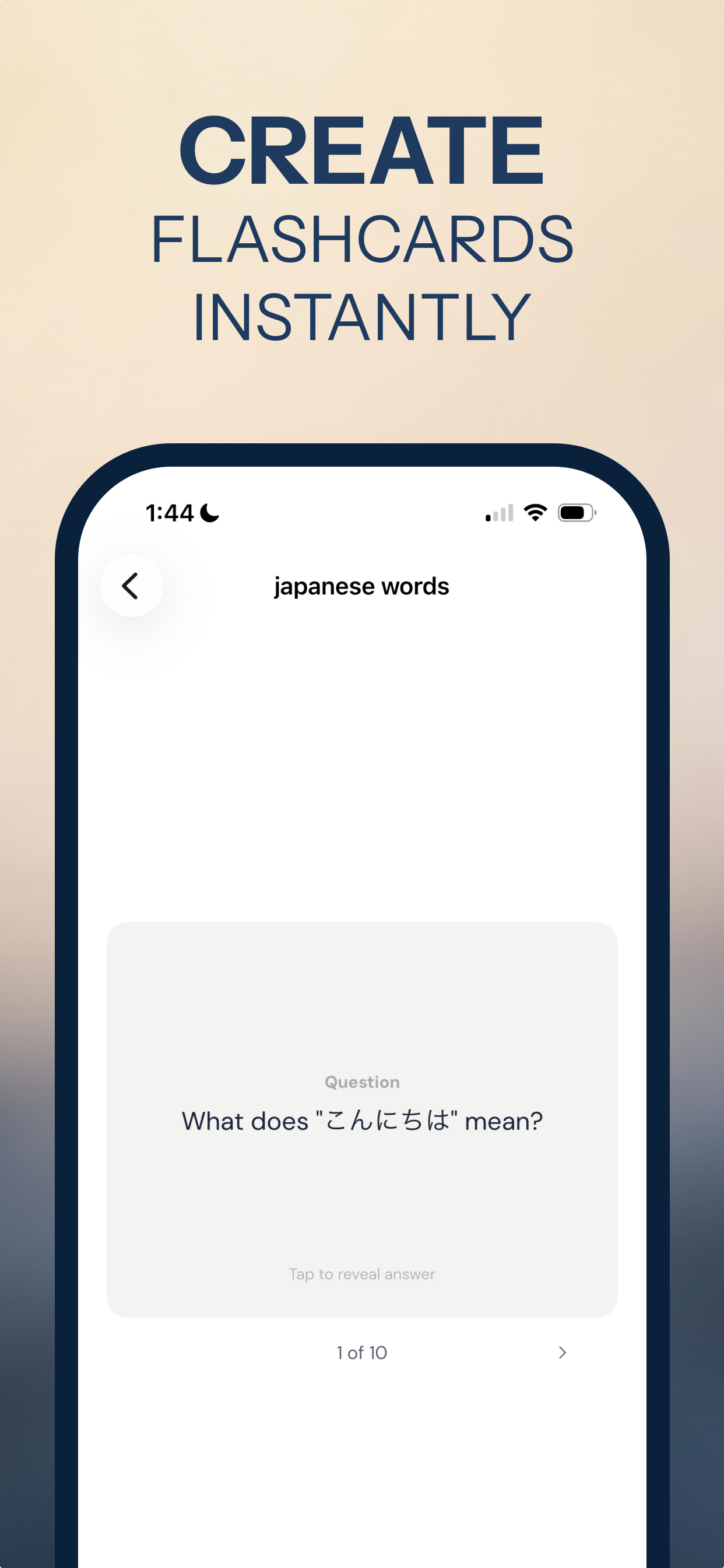
- Open Vault AI and choose the Flashcards app (or ask any tool to "make flashcards").
- Give it your material. Paste notes, type a topic like "Japanese greetings," or drop in text you need to memorize.
- Get a deck. Vault AI generates a set of Q&A cards — tap to reveal the answer, swipe to the next.
- Review and keep. Your decks are saved on the device so you can study them any time, offline.
Beyond flashcards
The same on-device AI can build a full study guide, summarize a chapter into key facts, or explain a tricky concept in plain language — all private and offline. Flashcards are just one of 70+ tools in Vault AI.
Turn your notes into a study deck
Free to download · $2.99 one-time unlock · No subscription
Download Vault AI on the App Store